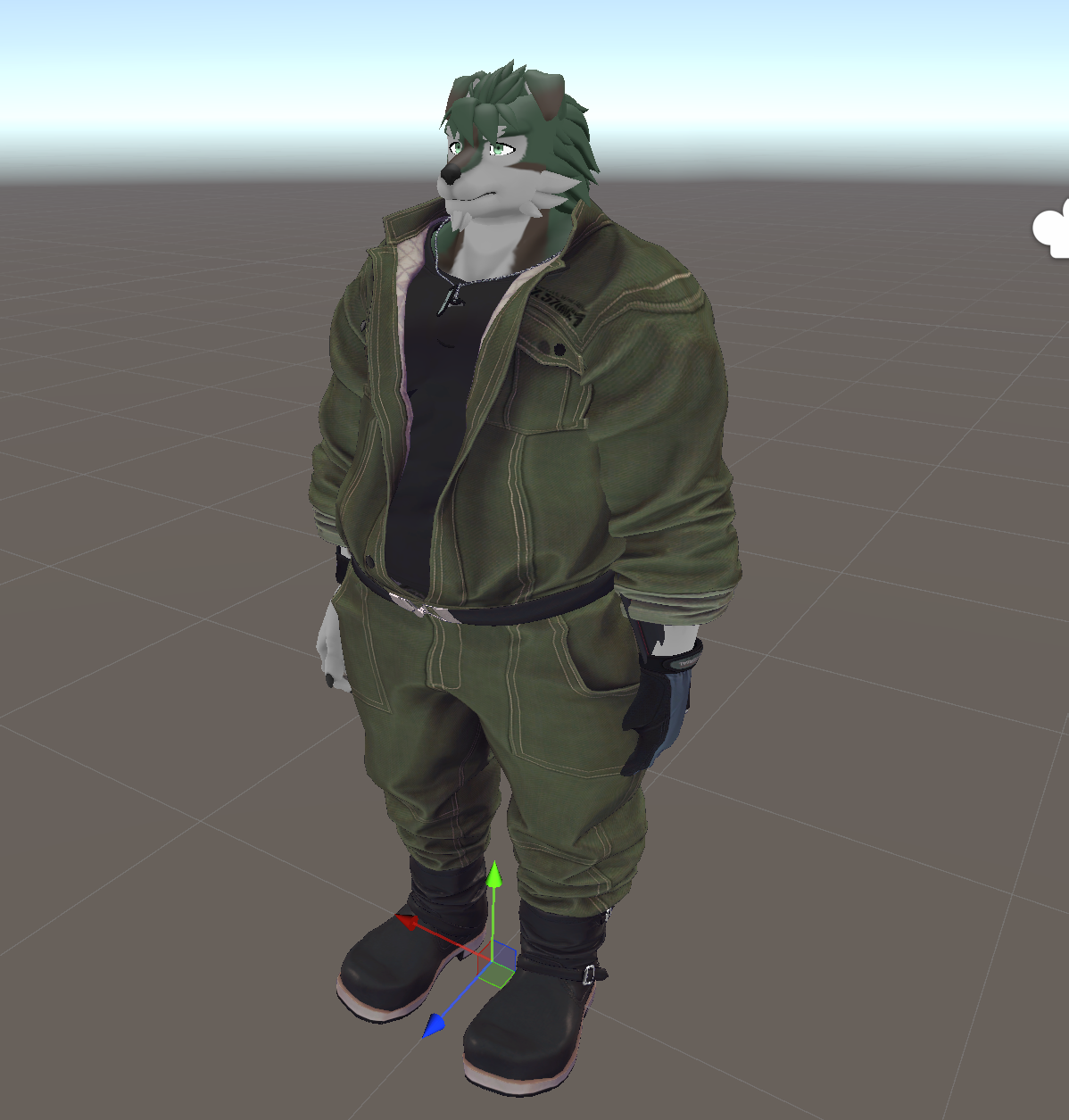
Setting up unsupported outfits with Mochifitter
By using the Lugharian Mochifitter profile, you can use Mochifitter to dress Lugharian in outfits that are not officially supported (this assumes that a reverse-conversion profile for the outfit exists).
Notes
The following issues have been largely resolved in v0.2.
The current (v0.1) profile has the following known issues:
- The mesh around the shoulders and chest is prone to clipping/intersection.
- Gloves and similar items may not convert correctly.
It is not yet clear whether these issues come from the Lugharian avatar itself or from Mochifitter, so perfect conversion is not guaranteed. Please treat this as a rough conversion.
How to use
For detailed usage, refer to the Mochifitter documentation.
1. Import required packages
Import the following packages into your Unity project:
- Lugharian (base avatar)
- Mochifitter
- Lugharian Mochifitter profile
- The outfit package you want to convert
- A Mochifitter reverse (backward) profile for that outfit
2. Convert the outfit
In this example, we explain the workflow using TinmeshiTei Common Base Body “Engineer Coveralls”. The reverse-conversion profile can be obtained here.
Additionally, make sure you have already imported these packages into the project via VCC or ALCOM:
From the toolbar, select Tools > Mochifitter to open the MochiFitter window.
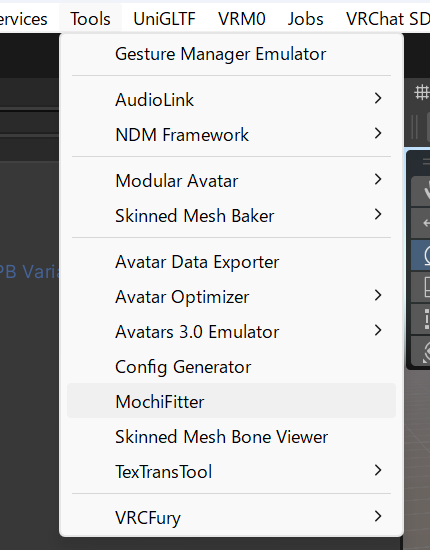
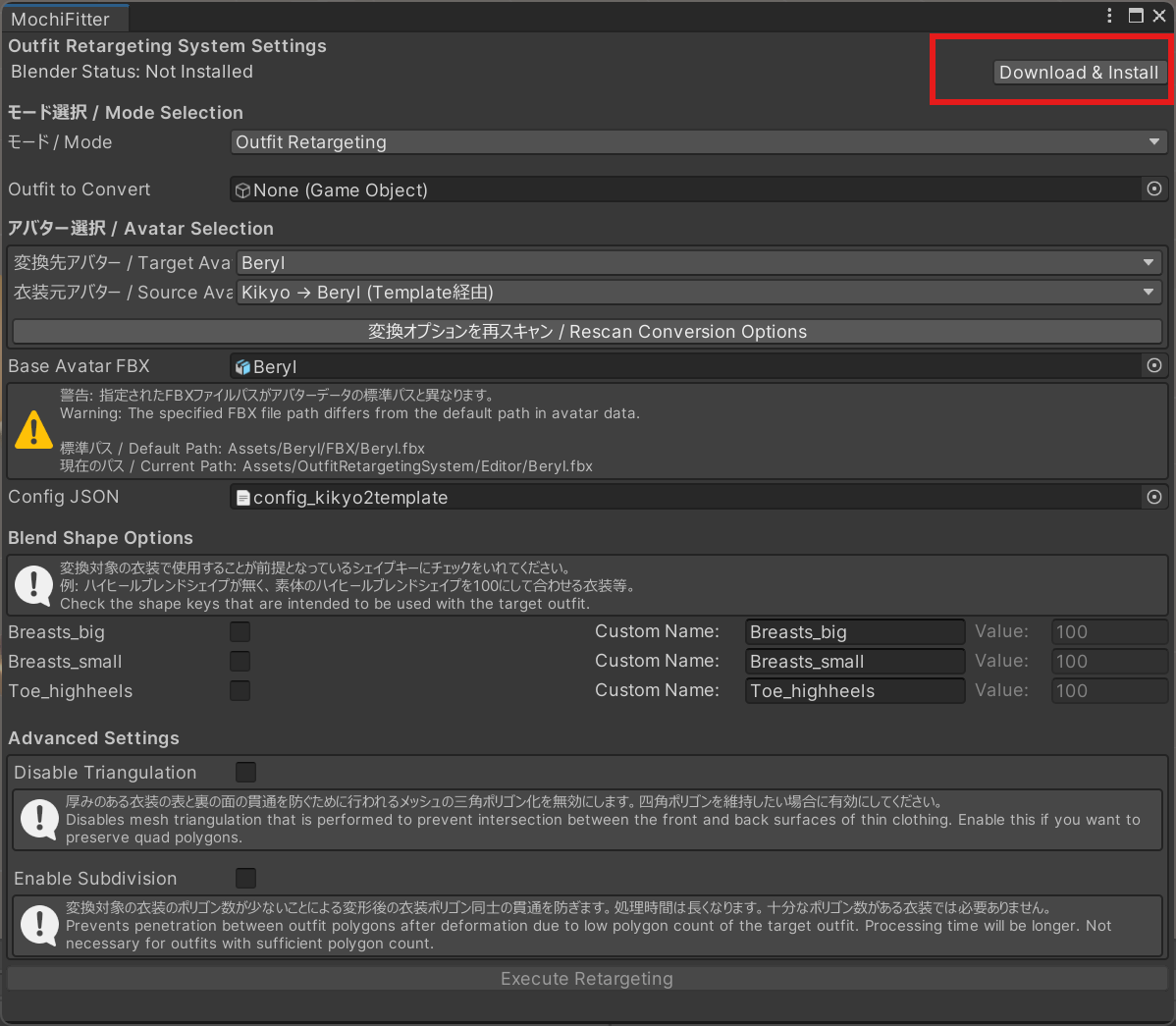
On the first run, you will be prompted to install Blender and the add-on. Please install them.
After installation is complete, set the outfit you want to convert in Outfit to Convert. In this example, we set:
Assets/TinmeshiTei/Cloths/Coverall2/Prefab/Coverall2_ClothOffGimmic.prefab
Then select:
変換先アバター / Target Avatar:Lugharian衣装元アバター / Source Avatar:TinmeshiTeiBody
衣装元アバター / Source Avatar depends on which avatar the outfit was made for.
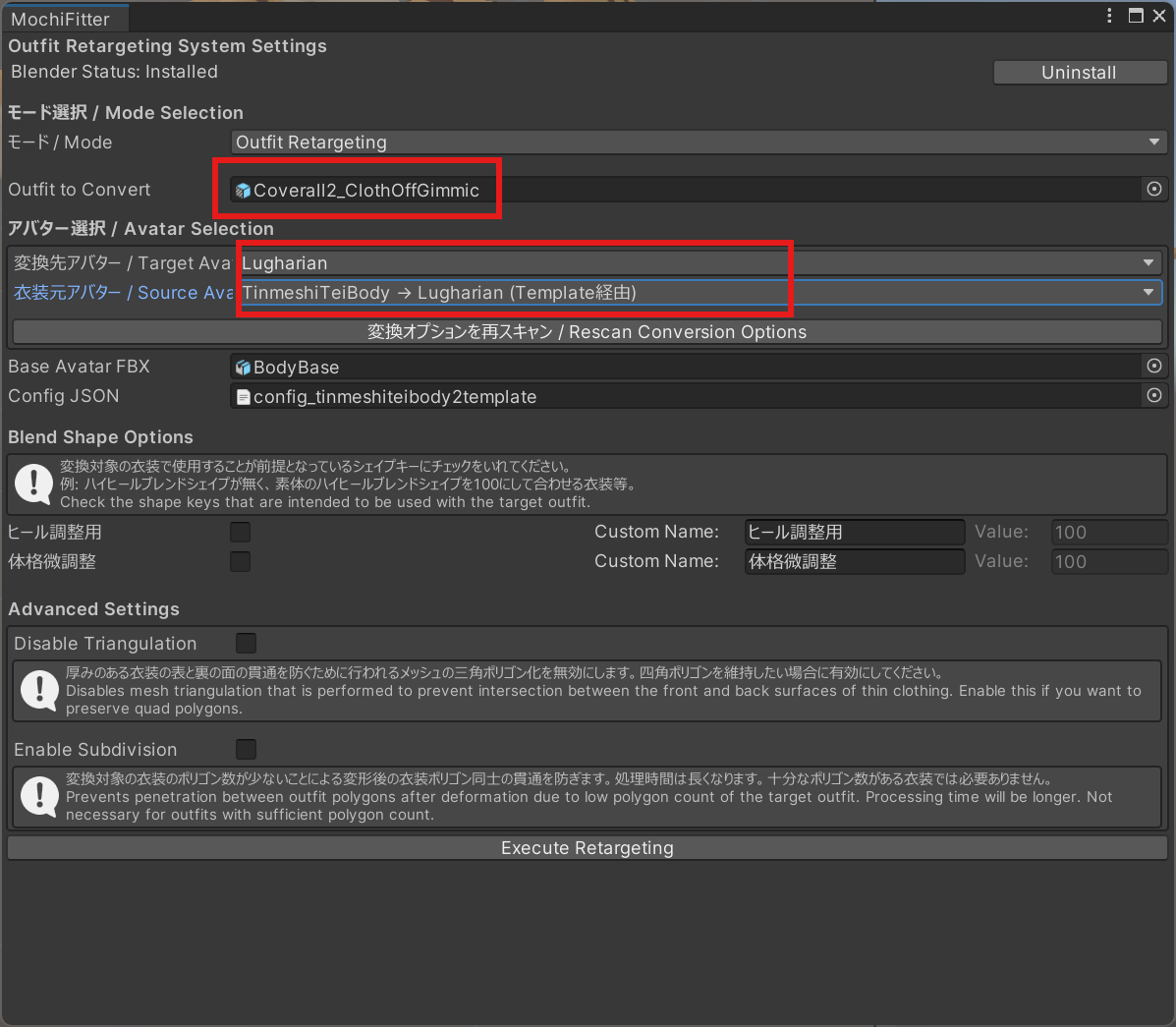
Without changing other settings, run Execute Retargeting.
After a short while, the outfit conversion will complete.
3. Put the outfit on
First, place the Lugharian ExportAvatar prefab you want to dress into the scene. It is helpful to prepare a Lugharian avatar that has no clothes equipped.
Additional settings in v0.2
The generation behavior changed in v0.2. Outfits converted in v0.2 are generated with a different initial pose.
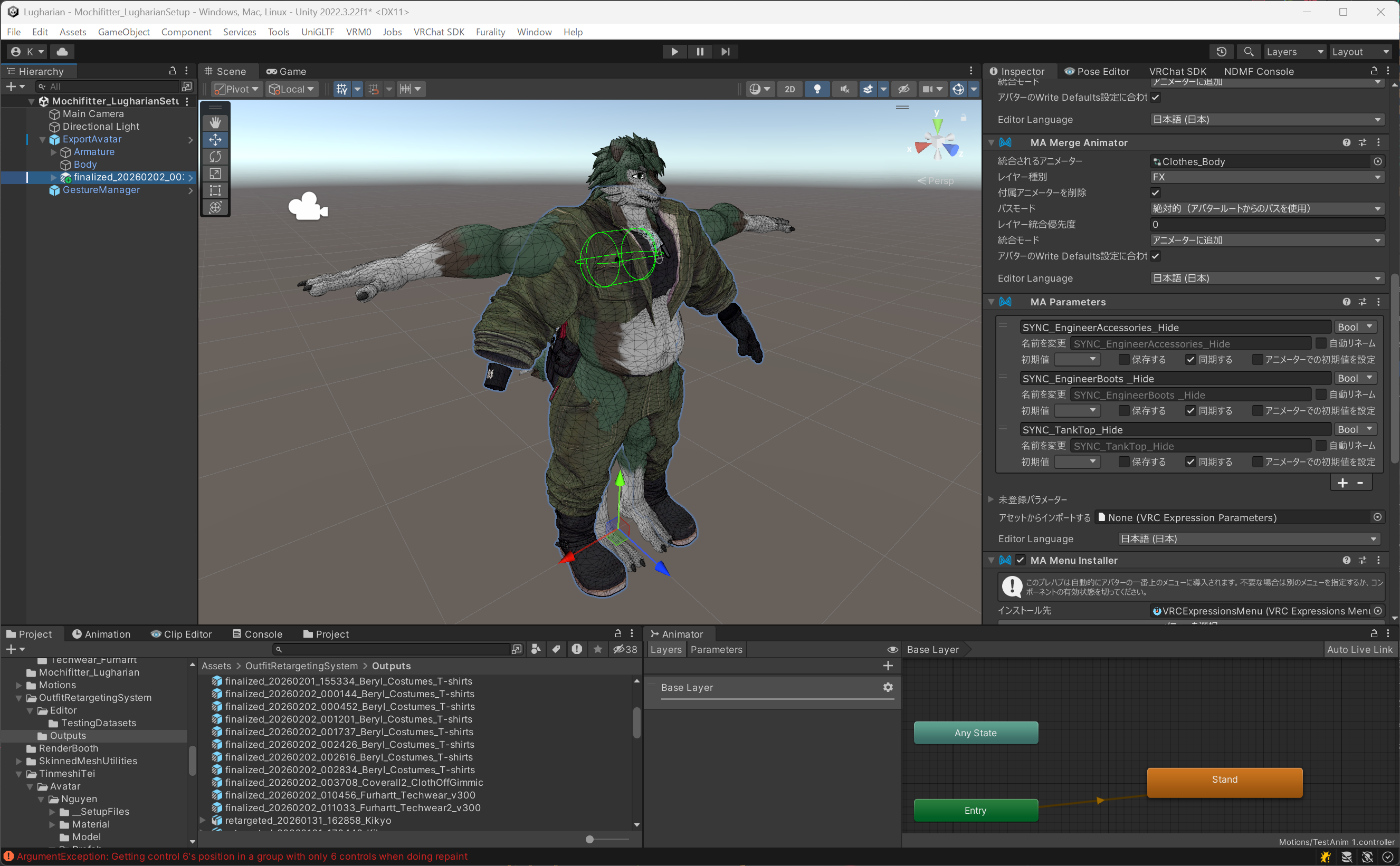
Go to the Armature of the outfit, expand Reset positions to base avatar in MA Merge Armature, check all items and press Do it!.
If MA Merge Armature is missing, add it via Add Component.
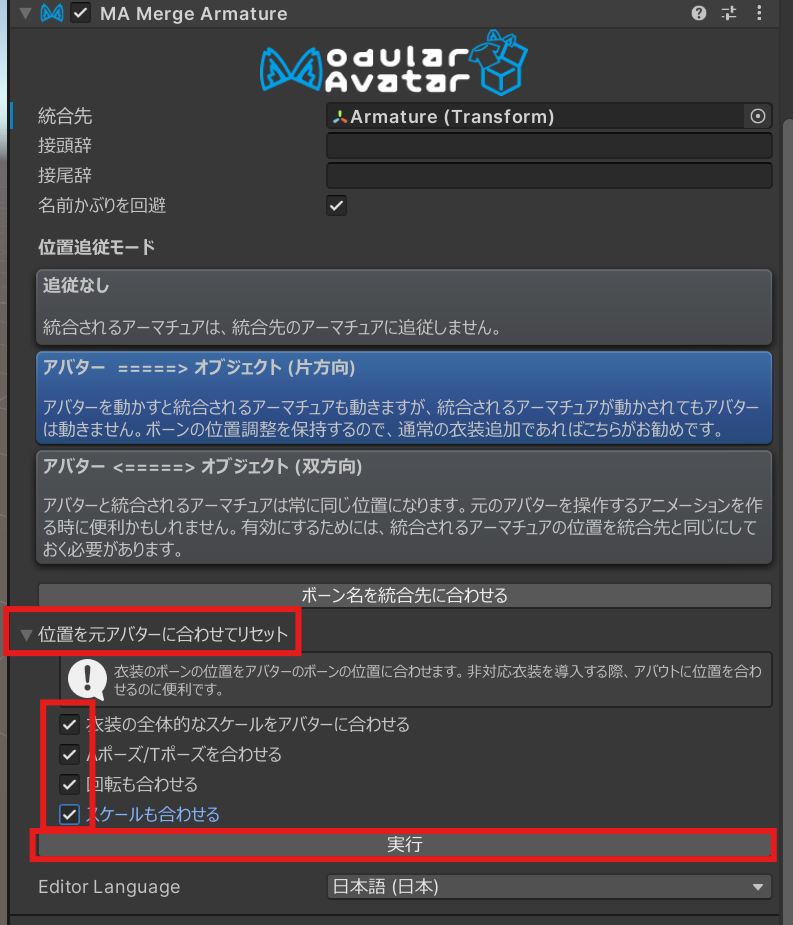
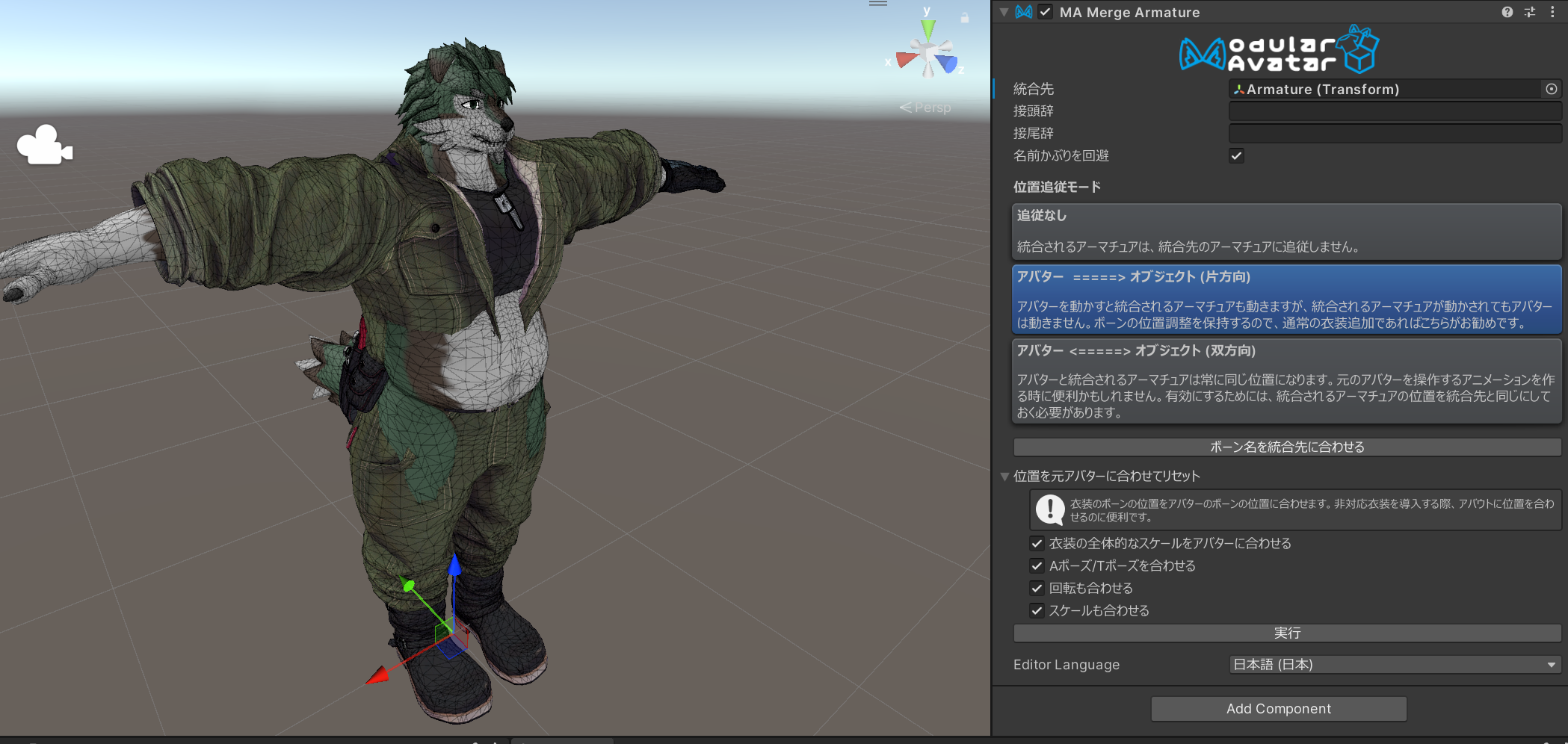
This aligns the pose.
--- Below is common to v0.1
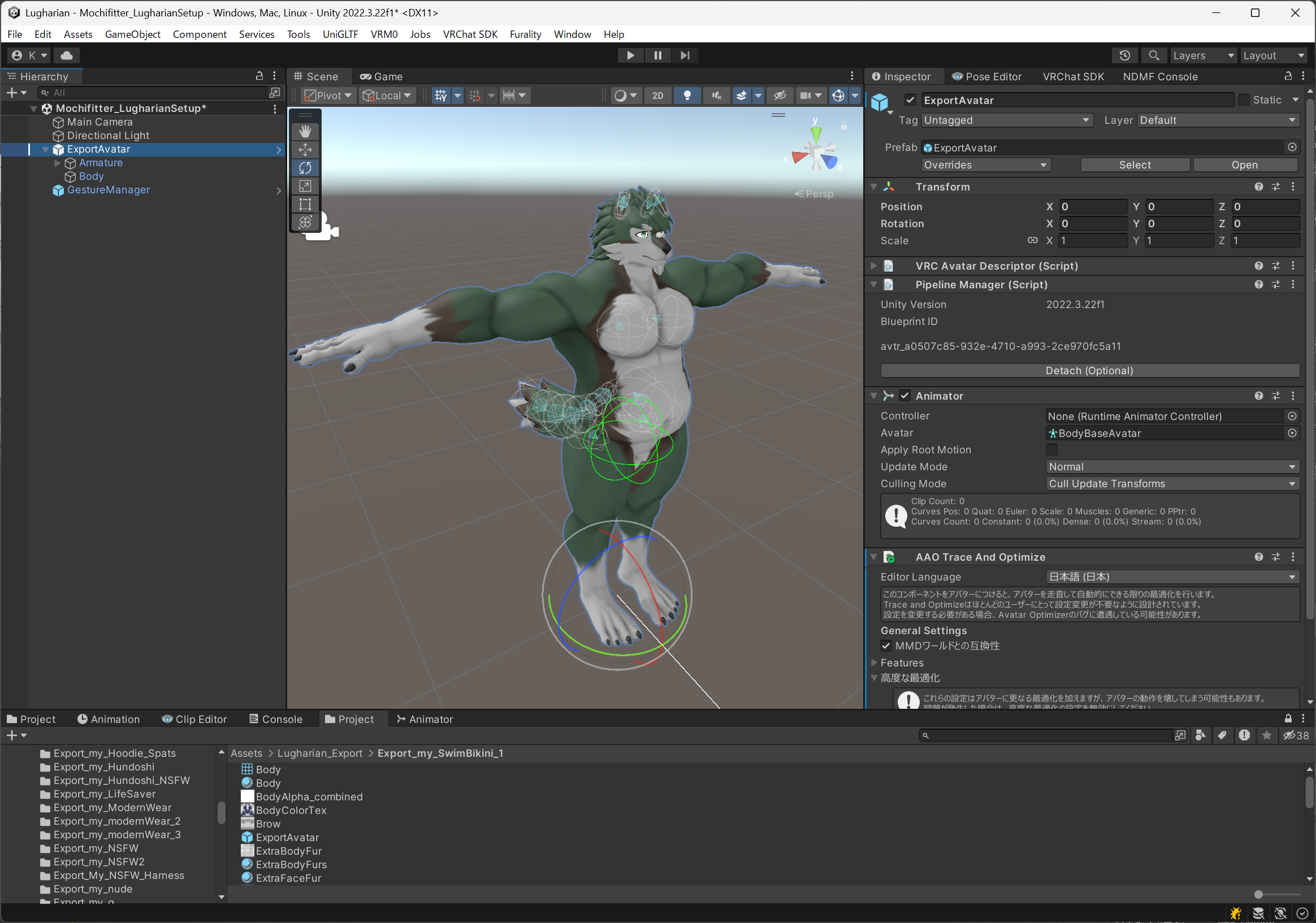
Next, drag and drop the converted outfit prefab so it becomes a direct child of the avatar in the scene hierarchy.
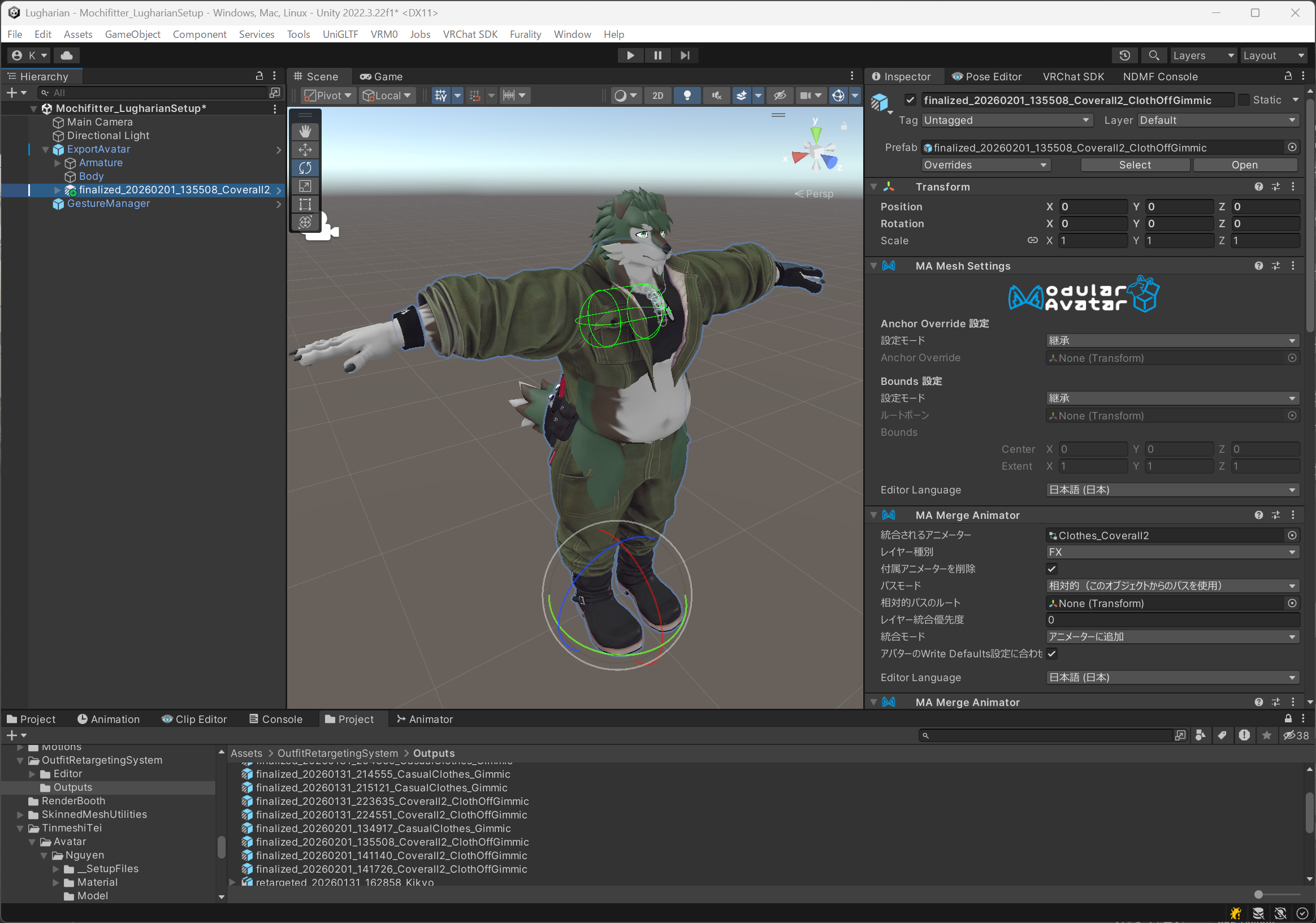
If you have changed Lugharian's body proportions, you will need some adjustments.
Open the exported Lugharian save.json.
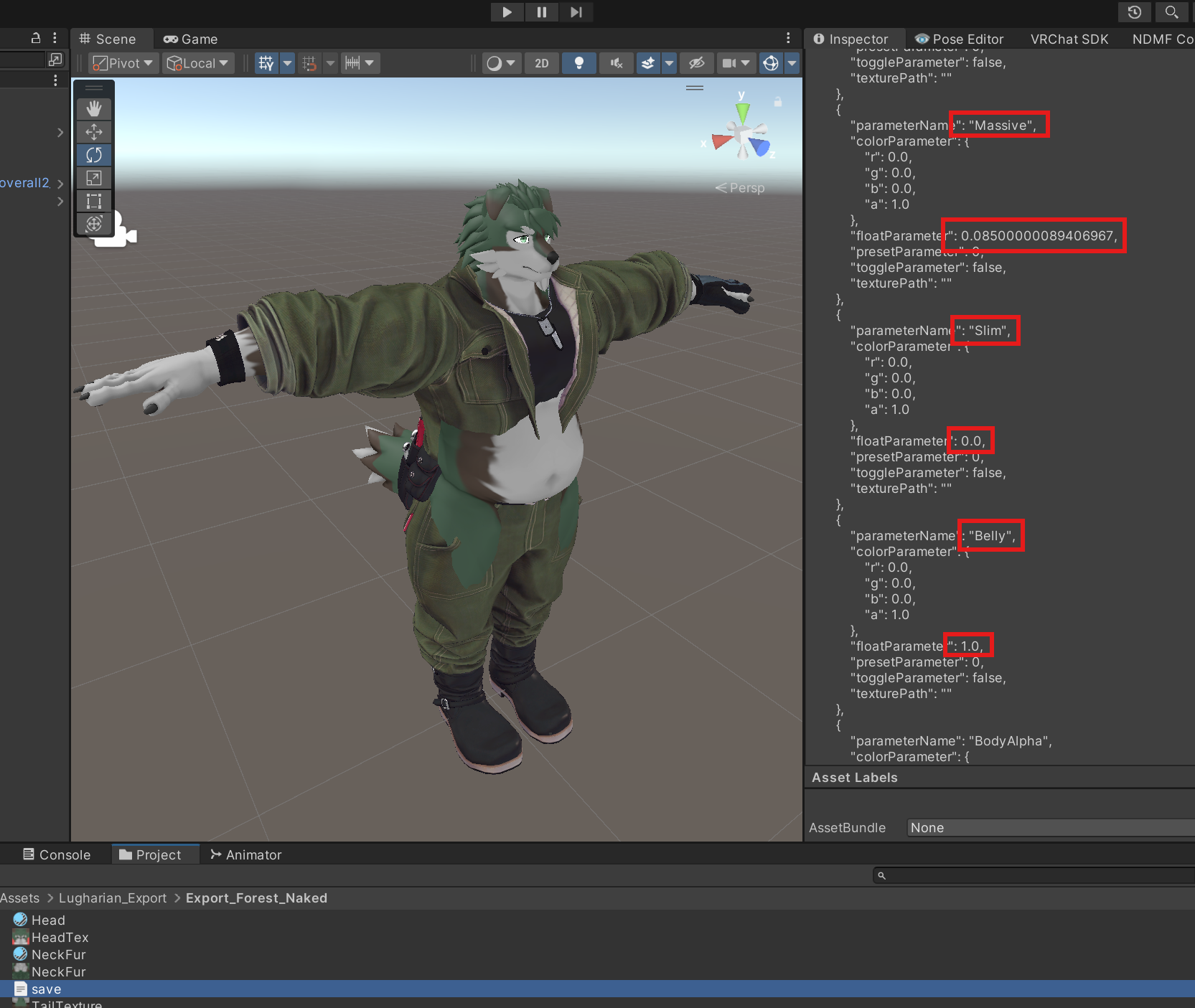
In the JSON file, find the Massive, Slim, and Belly entries, then note the values of their floatParameter.
In this avatar example:
- Massive: 0.085
- Slim: 0.0
- Belly: 1.0
Then multiply these values by 100, and set them on each outfit mesh under BlendShapes as defShape.Massive, defShape.Slim, and defShape.Belly.
defShape.Massive: 8.5defShape.Slim: 0defShape.Belly: 100
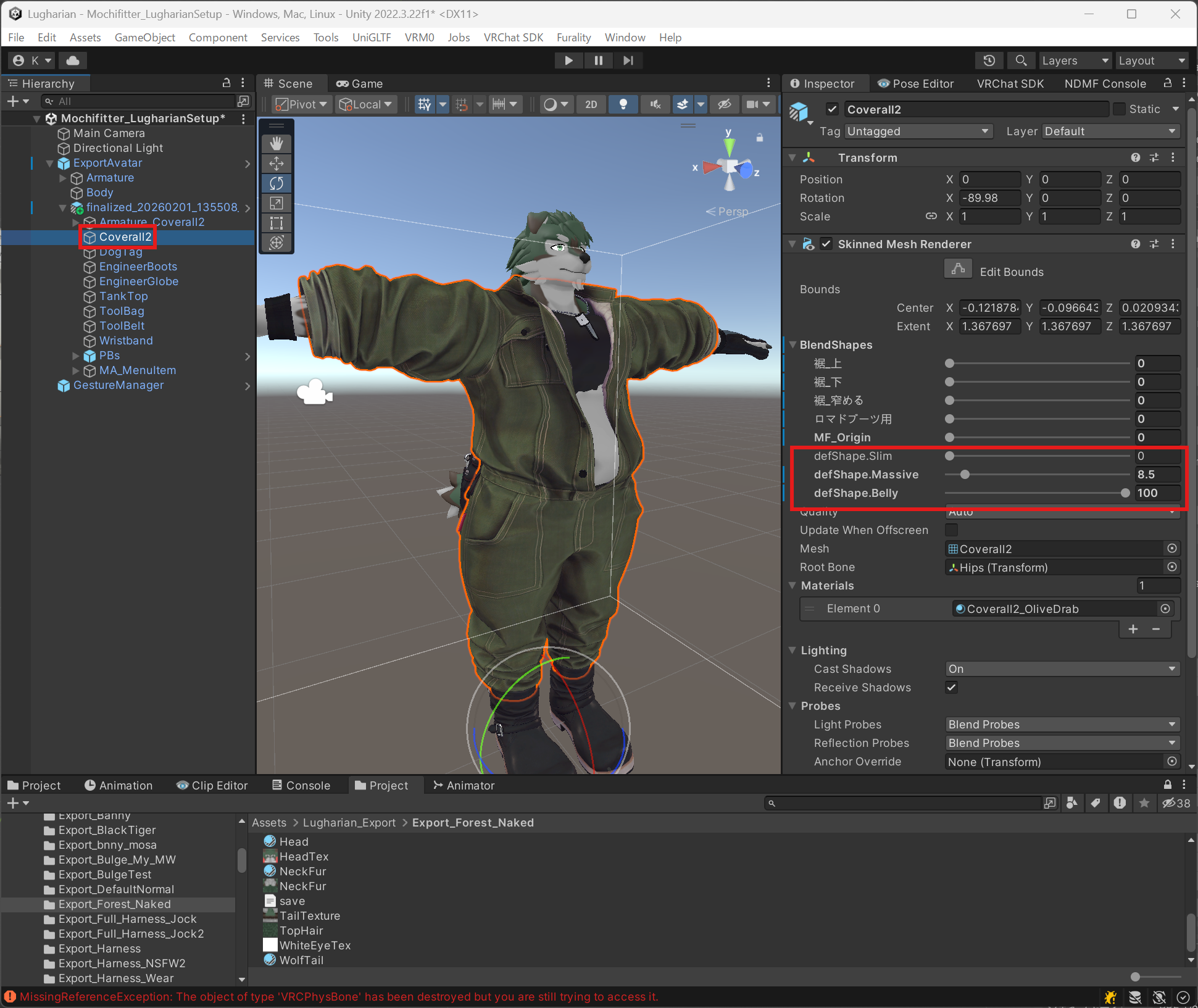
When everything is set, it should look like this:
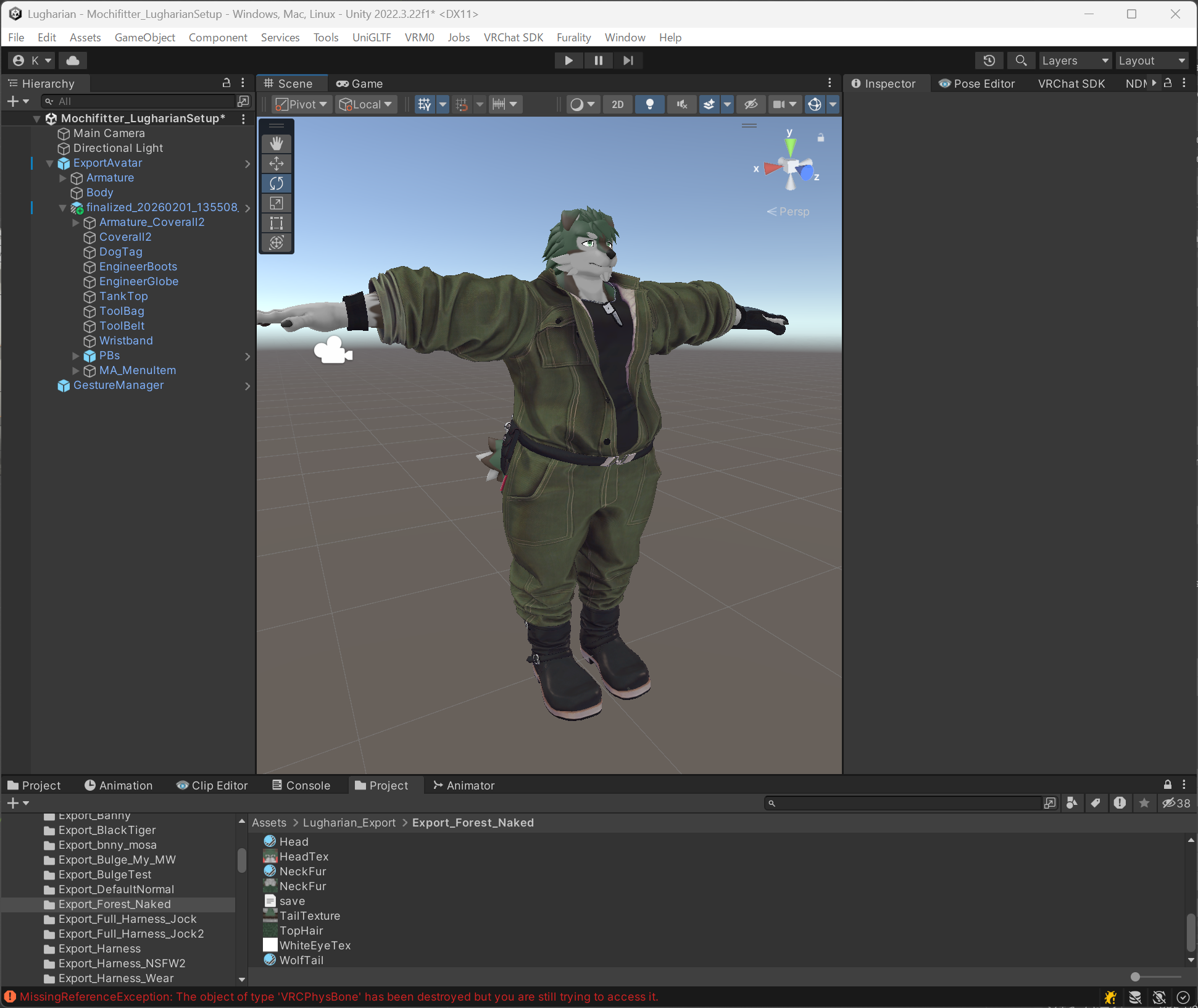
At this point, equipping the outfit is complete.
4. (Optional) Fix clipping/intersection
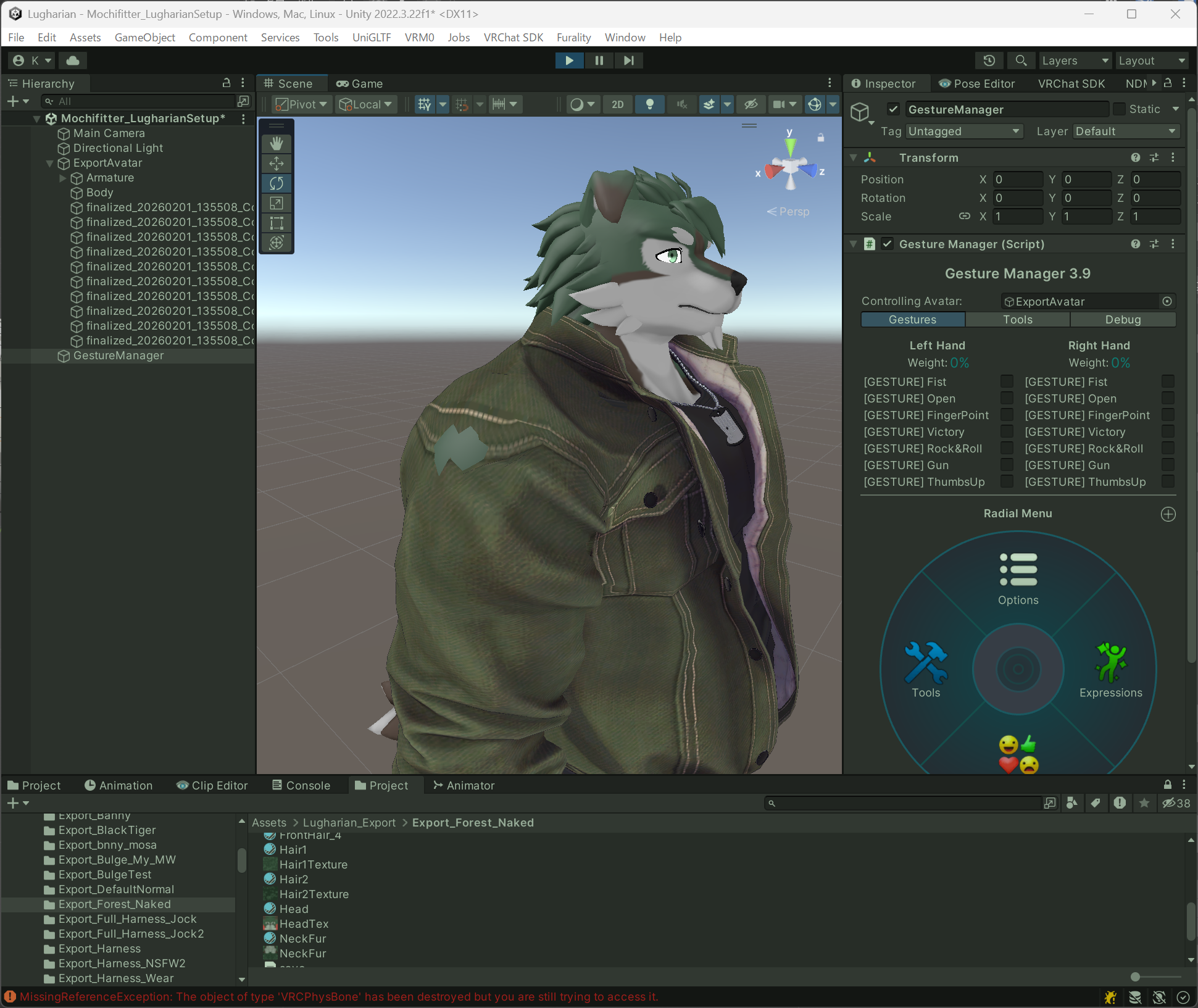
Figure 1: When lowering the arms, the base body intersects around the shoulders.
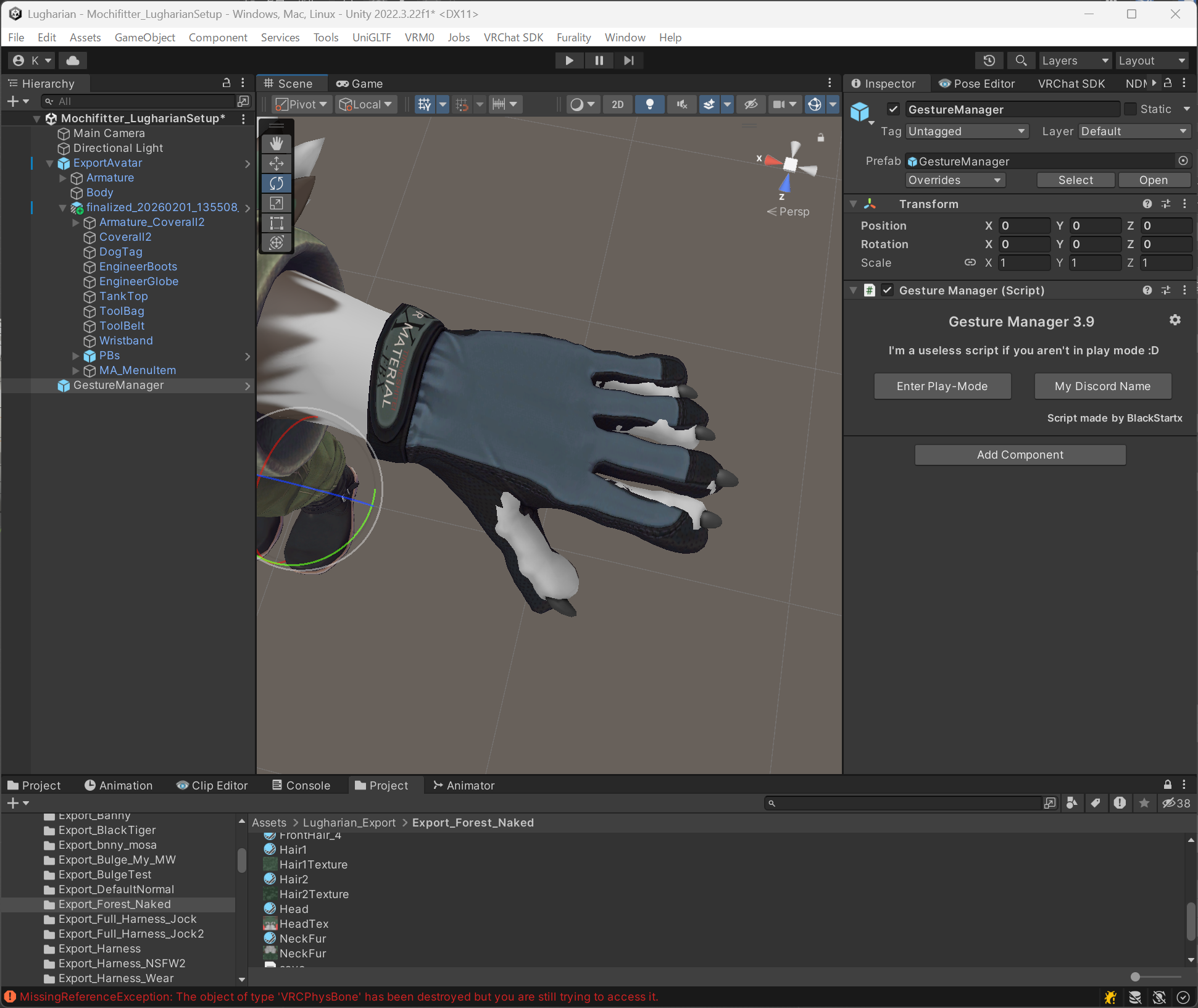
Figure 2: Fingers are misaligned relative to the gloves.
Depending on the outfit (and due to the v0.1 known issues), you may encounter clipping/intersection problems. This section explains a simple way to address them.
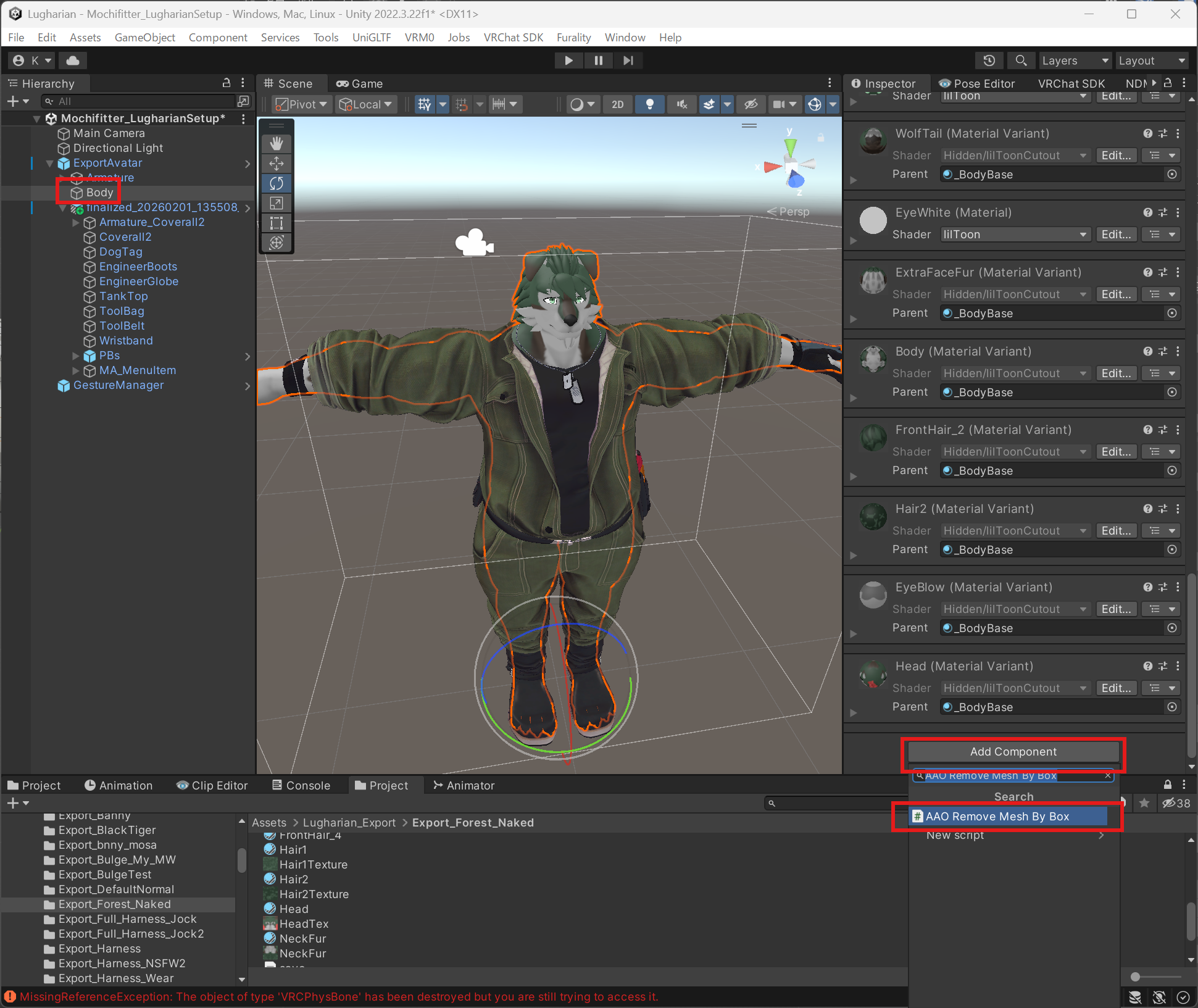
Here, we demonstrate removing the intersecting part of the base body mesh using the AAO feature AAO Remove Mesh By Box.
Select the Body mesh, then use Add Component and choose AAO Remove Mesh By Box.
Select Edit This Box, then move the box to cover the shoulder area you want to remove.
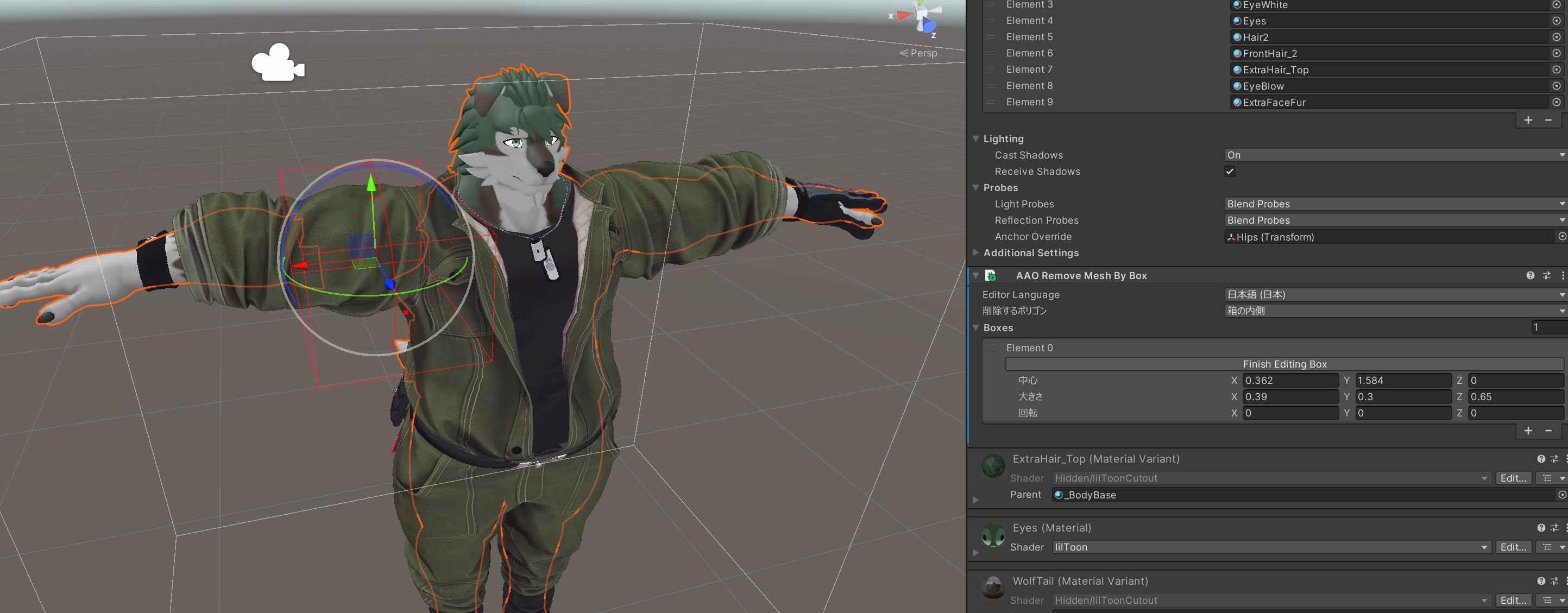
Press the + button to add a box, then flip the X axis to remove the opposite side as well.
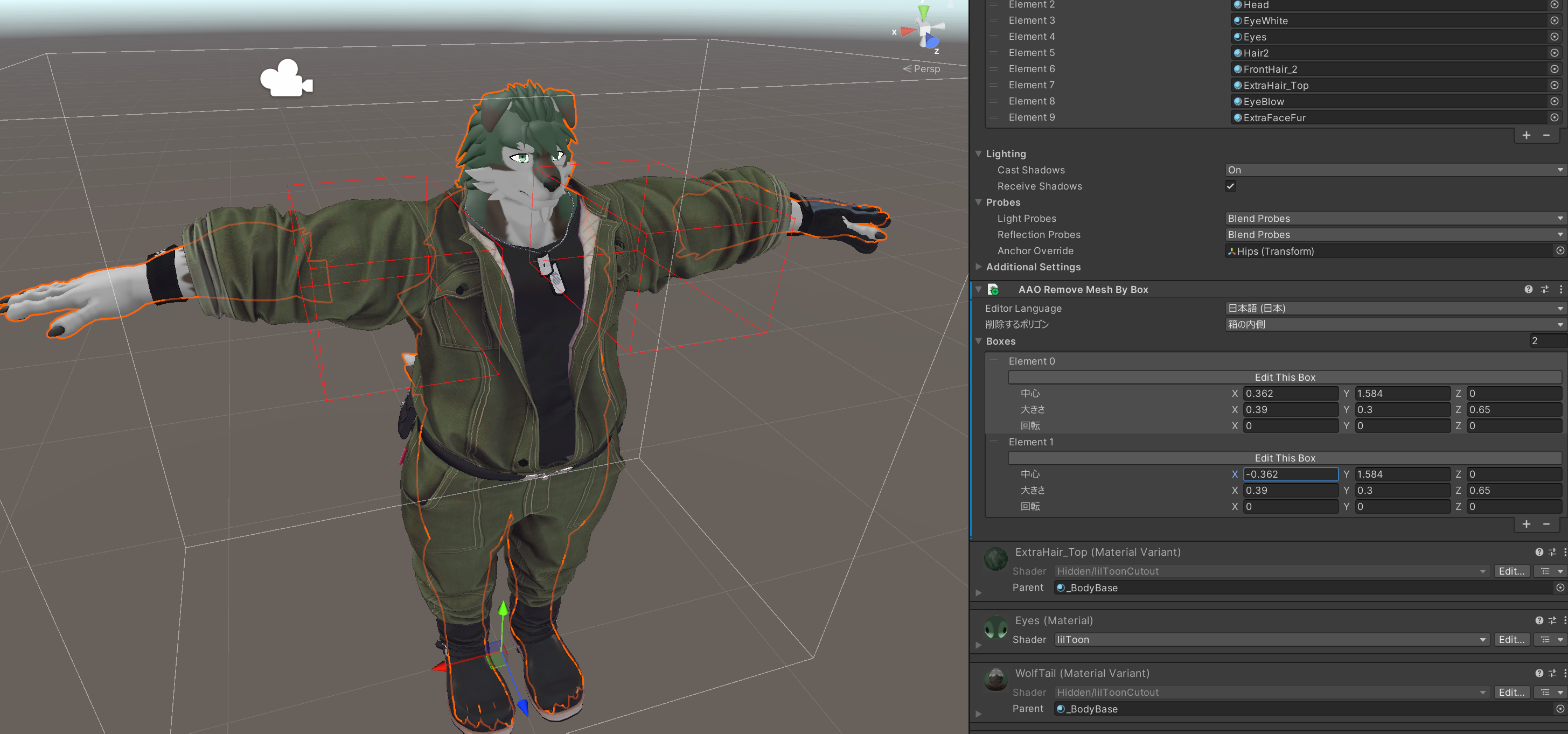
Similarly, remove any other unnecessary mesh areas.
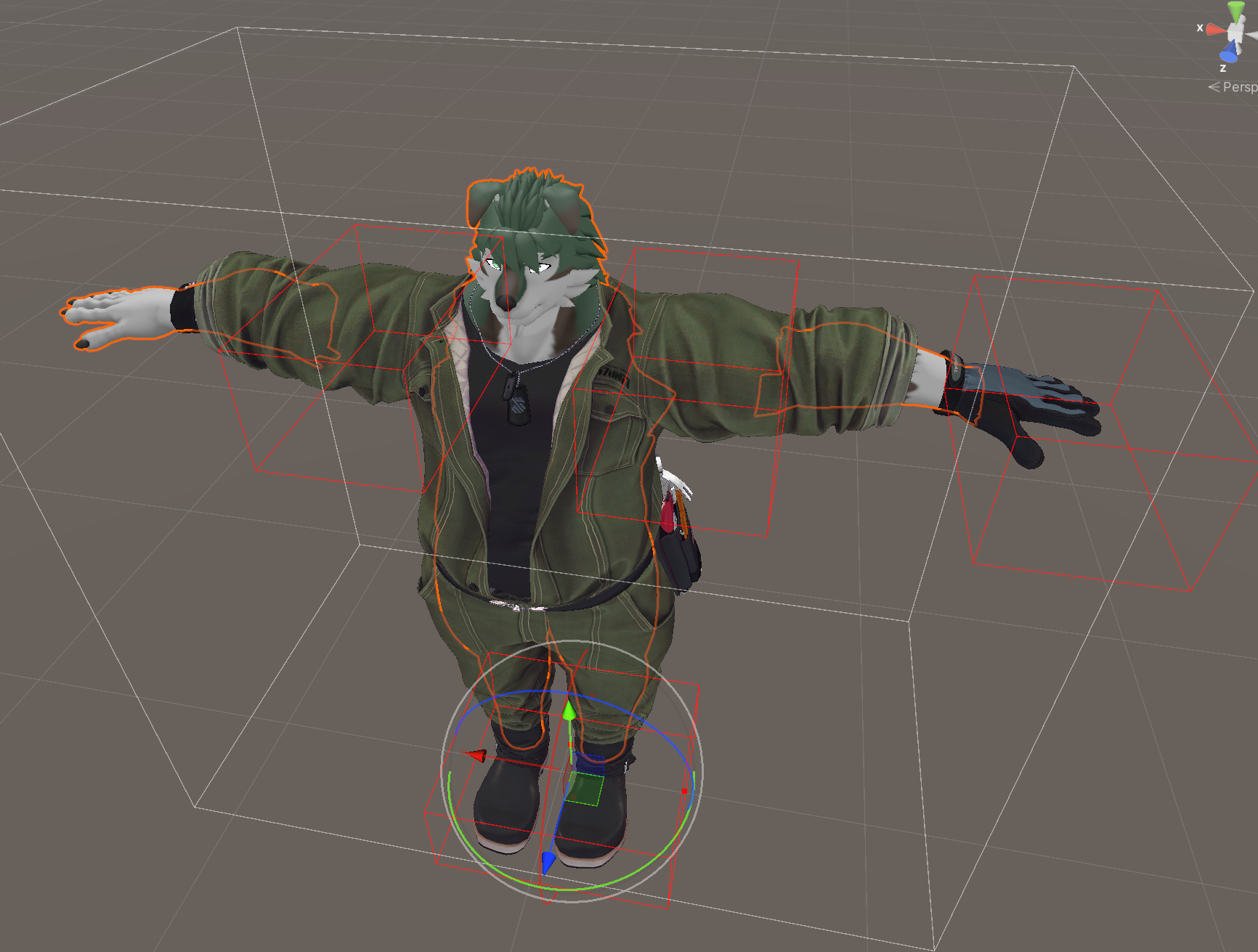
The clipping/intersection can now be fixed.